Skip to content
Ngento Marchés
Ngento Public tenders

Bid for French public contracts without losing your evenings

The monitoring finds the tenders that match you and tells you why. The buyer’s documents are read for you, and the French forms reuse what your profile already knows about your organisation. The app itself is in French.
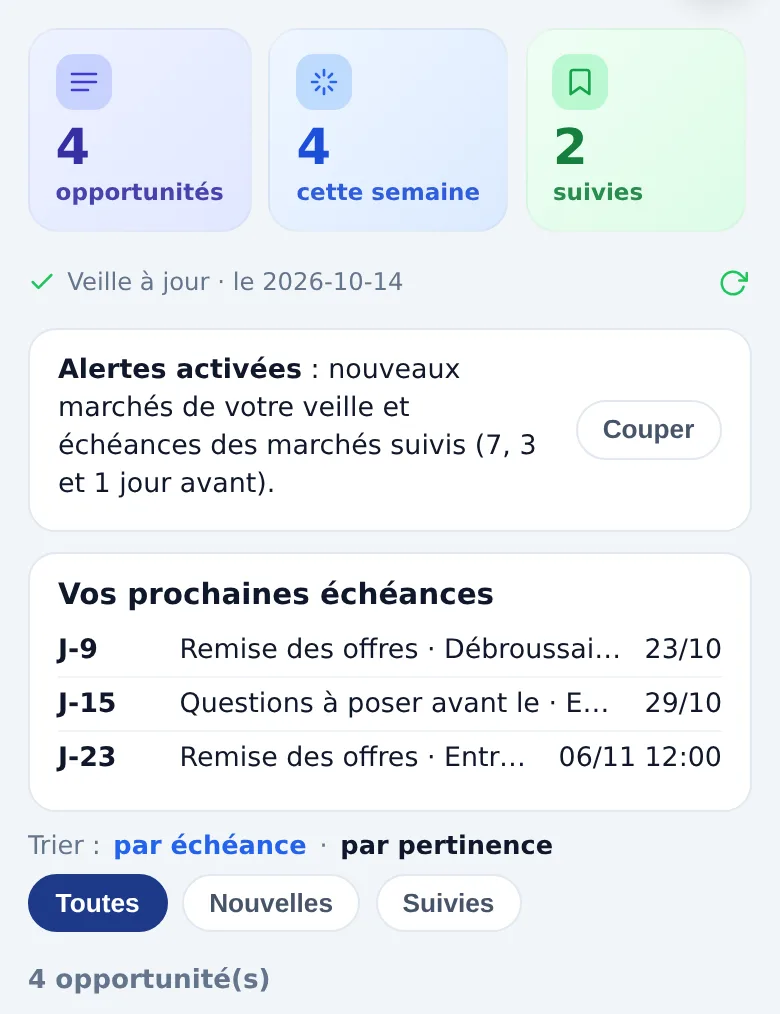
Top of the main screen: four opportunities, monitoring up to date, alerts on and your next three deadlines.

Sound familiar?

Sunday, 10 pm

The tender rules run to thirty pages. The deadline is Tuesday noon. You still have to find the award criteria and the list of documents, copy your SIRET number into three forms, and your social security certificate is seven months old.

With Ngento, you upload the buyer’s documents and they are read straight away: the deadline, the documents required and the criteria appear, each with the page it comes from. Anything missing becomes a question, asked once.
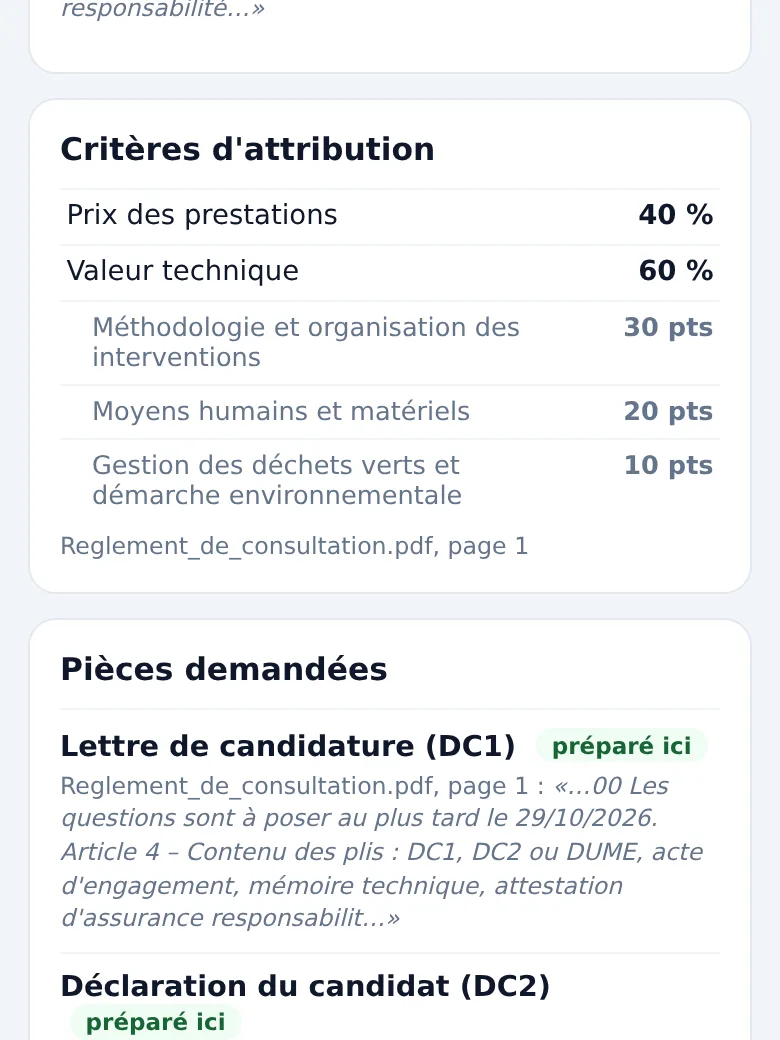
Criteria read from tender rules: price 40%, technical merit 60% and three sub-criteria, then the documents required.

Day to day

What you won’t have to do any more

Trawl through notices every morning

The monitoring reads French and European notices and announced purchasing plans, and keeps only those matching your profile.

Learn more : Trawl through notices every morning

Hunt for the deadline on page 17

Dates, documents, criteria and how to submit are picked out of the documents, with their source.

Learn more : Hunt for the deadline on page 17

Type your SIRET for the tenth time

The DC1, DC2 and the contract form come out pre-filled; the DUME has its own answer sheet.

Learn more : Type your SIRET for the tenth time

Start from a blank page

The technical proposal outline follows the award criteria, from the heaviest weighting down.

Learn more : Start from a blank page

Find an expired certificate too late

Your certificates are stored with their expiry date; the screen flags those about to expire.

Submit at 11:58

A notification 7, 3 and 1 day before each deadline of the tenders you follow.

Learn more : Submit at 11:58

How it works

The steps of a bid

Find the tender

Each tender gets a score out of 100, and every point is explained in one sentence.

Learn more : Find the tender

Read the documents

You download them from the buyer’s platform and upload them here: PDF, Word (.docx) or .zip archive.

Learn more : Read the documents

Fill in the forms

DC1, DC2 and contract form pre-filled, DUME sheet.

Learn more : Fill in the forms

Write the proposal

The outline follows the criteria; you write, you approve.

Learn more : Write the proposal

Submit

Named files, fields to copy, a direct link to the platform.

Learn more : Submit

A score that explains itself

Why this tender, and not another

A score on its own says nothing. Here each point has its sentence: your keyword is in the title, the place is in your département, the deadline is in 23 days. For a purchasing plan, which announces an estimated value, your turnover is compared with the cap French law sets for buyers: as a rule, they cannot require more than one and a half times that value. Ngento does not take amounts from BOAMP or European notices.

You see at a glance where to go, and what might be a problem.
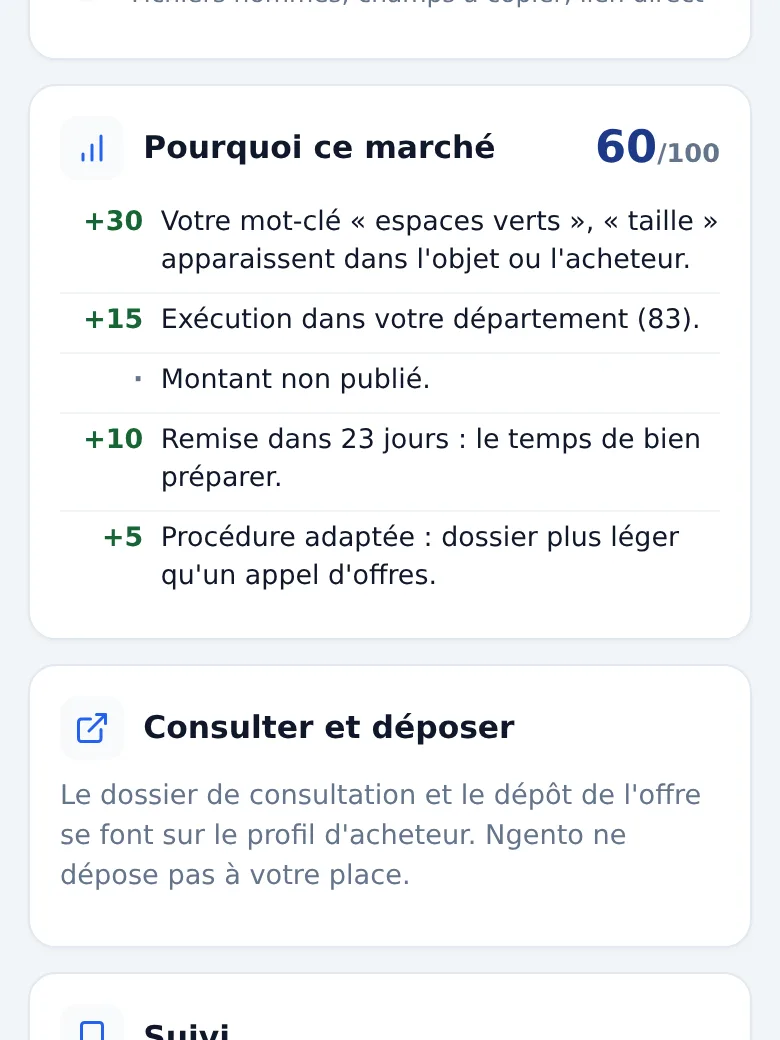
“Why this tender”, 60 out of 100: keywords found, département, time left and procedure; no value published for this notice.

Submitting

We prepare, you submit

Buyers' platforms expect you to submit yourself. Ngento does not log into them: it gives you the list of files, named and ready, the details to copy and the direct link.

If the tender rules accept an answer by email, the file can be sent from Ngento; if the uploaded rules require the platform, sending by email is blocked, so your bid is not thrown out.
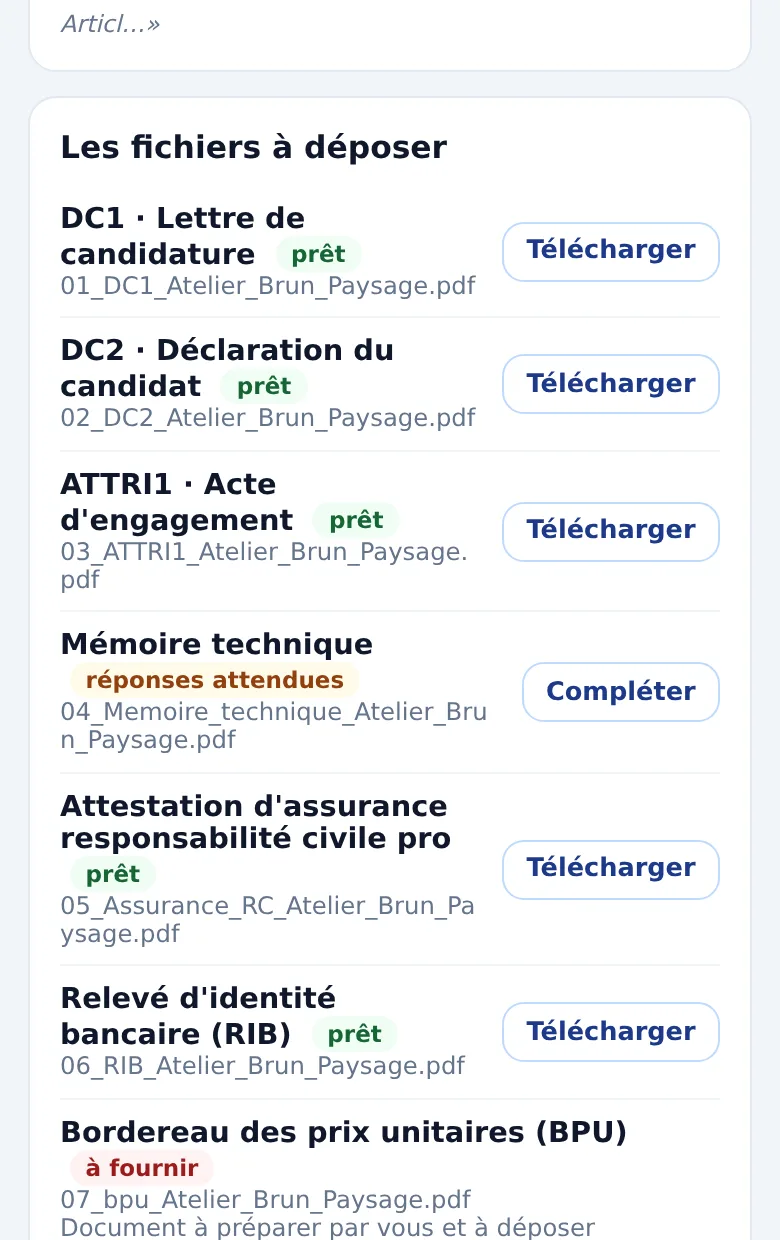
The files to submit, named 01_DC1, 02_DC2, 03_ATTRI1…, each ready, to complete or to provide.

Frequently asked questions

Does Ngento submit the bid for me?
No. You submit on the buyer’s platform yourself. Ngento prepares everything so it is quick, then records the date of your submission when you tell it.
Are my documents signed?
Bids no longer have to be signed when they are submitted: only the winning bidder signs the contract form. When a tender requires an electronic signature, it needs a qualified certificate, which Ngento does not provide; the screen tells you as soon as the documents are read.
Does Ngento produce the DUME?
No. The official DUME (the French version of the European Single Procurement Document) is created on the French State’s DUME service. Ngento gives you a sheet with all your answers in the form’s order, then stores the file you get in your documents for the next tenders.
What if the documents are a scan?
A scanned PDF has no readable text: it is flagged as such, never treated as an empty file. The questions take over.
I work alone: is it for me?
Yes. One filter removes tenders whose known value exceeds €90,000, and formal tender procedures, design contests and competitive dialogues; tenders with an unknown value stay visible. The monitoring covers what is published: small purchases made without advertising are not in it.
How much does it cost?
Prices will be announced before sign-ups to Ngento open; people on the waiting list will receive them first.

Join the waiting list

Sign-ups are closed for now. Leave your address: we’ll write to you when the Public tenders service opens, with its prices. The app itself is in French.

The information you leave is used to write to you when the Public tenders service opens, with its prices, and to understand your needs better. You can ask for it to be deleted at any time by writing to contact@challl.com.