Your files are lined up before you open the platform
The deadline, the direct link, the files named in order, and the details to copy into the platform’s form, with a button for each.
When you submit
The submission screen
Where and when
The platform read from the rules, its link, and the deadline date and time.
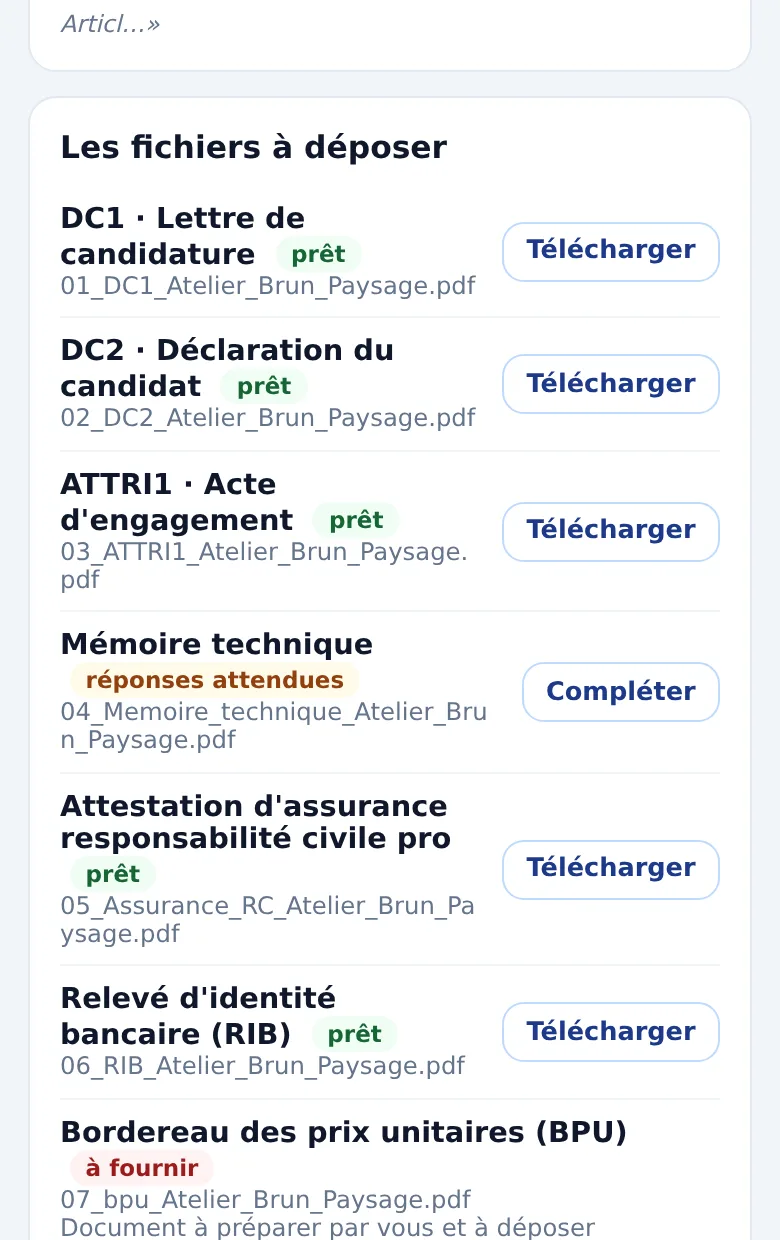
The files
“01_DC1_…”, “02_DC2_…”: downloadable one by one or together, once everything is ready.
The fields
Company name, SIRET, address, email, signatory, subject, amount: a Copy button for each.
Afterwards
You say you have submitted: the date is kept and alerts for that tender stop.
Signature
The signature: what the rules require
Since 2019, bids no longer have to be signed when submitted: only the winning bidder signs the contract form. When the rules require an electronic signature, it must rest on a qualified certificate issued by a trust service provider.
Ngento does not issue that certificate. It reads what the tender requires and tells you clearly, as soon as the documents are read; if the rules are ambiguous, it asks you. While a qualified signature is required or the question is still open, sending the file from Ngento is blocked.
Email, only when it is allowed
For a request for quotes that accepts an answer by email, the file is sent from Ngento, after you approve it. If the rules you uploaded require the platform or refuse email, sending is refused, and the screen says why. Without uploaded rules, you confirm yourself that email is accepted.